
What it does
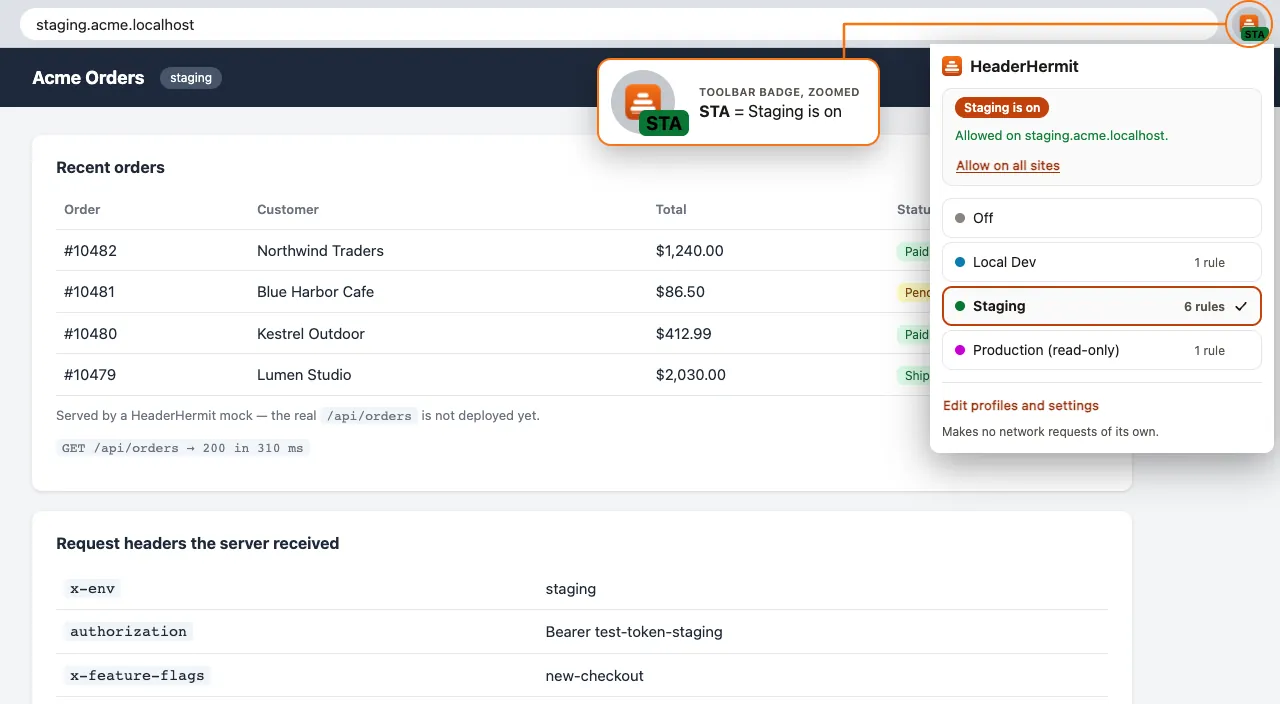
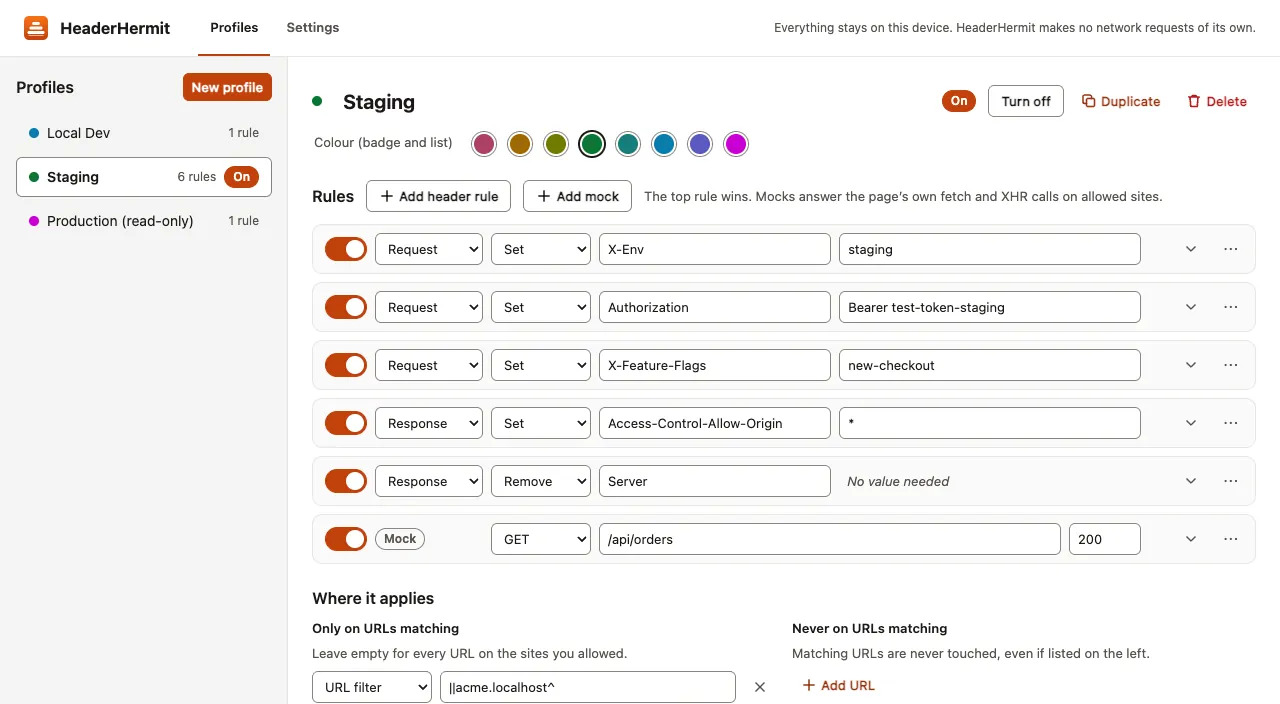
HeaderHermit keeps header profiles, such as Local Dev, Staging and Production, and switches between them from the toolbar, where a badge shows which one is on. Each profile holds rules that set, append or remove request and response headers, limited to the URLs, resource types, methods and domains you choose. Five presets start a profile quickly, from Allow CORS to Mock a JSON API.
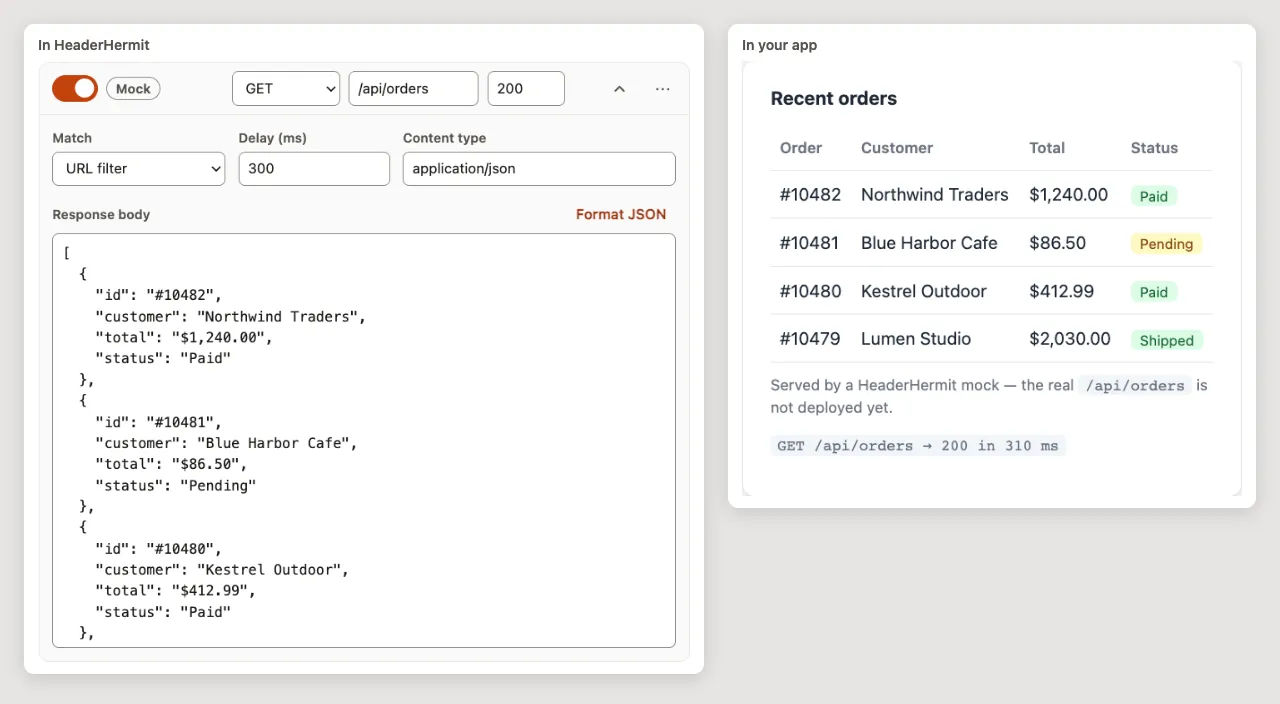
A profile can also mock a JSON API that isn’t ready yet. A mock answers the page’s own fetch() and async XMLHttpRequest calls with the status, delay and body you set. It does not reach synchronous XHR, workers, or image and script loads, and a tab that was already open needs a reload.
Header rules run on Chrome’s built-in declarativeNetRequest engine, in the order you list them; the top rule wins. Mistakes are shown at the field when you leave it, and a rule with a mistake is skipped rather than applied. The extension runs only on the sites you allow, one by one or all at once, and makes no network requests of its own.
Who it is for
- Front-end and web developers switching headers between local, staging and production
- QA and test engineers who need auth, feature-flag or CORS headers on test sites
- Developers building a screen against an API endpoint that isn’t ready yet
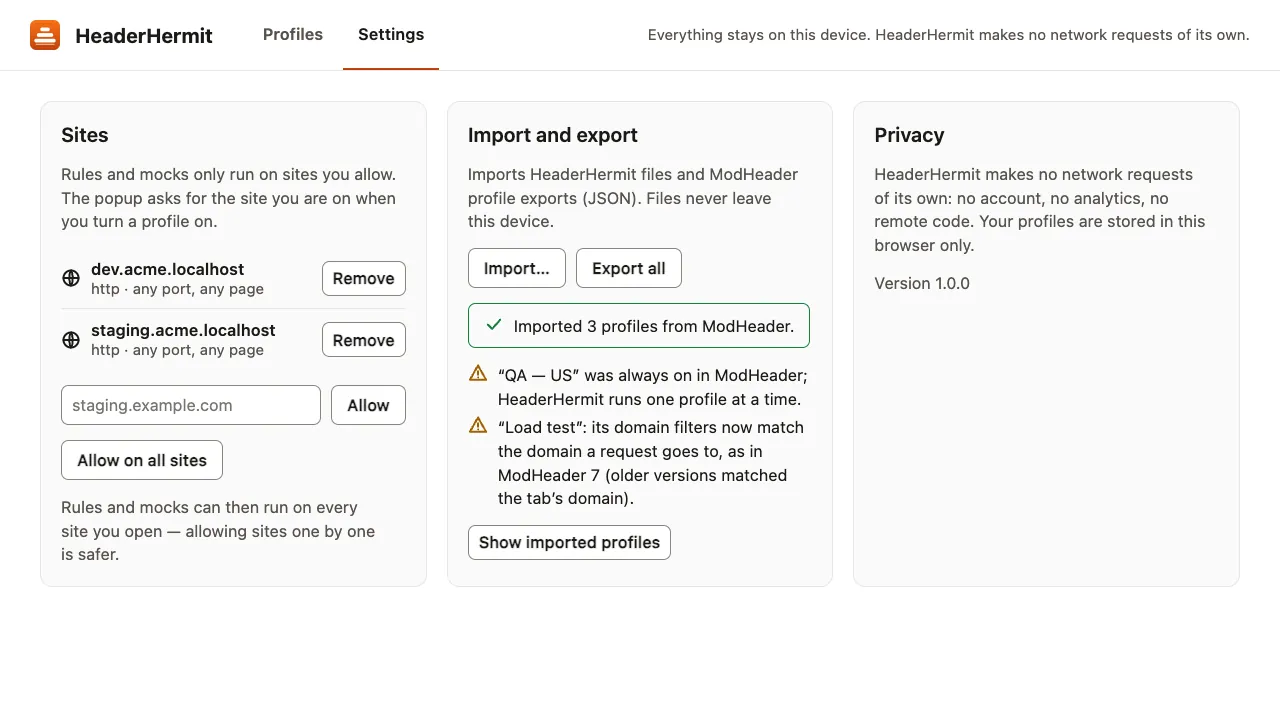
- People moving their header profiles over from a ModHeader JSON export
Features
- Switch between profiles, or turn all off, from the toolbar popup
- The toolbar badge shows the active profile’s initials, or ! on errors
- Five presets, from Allow CORS to Mock a JSON API
- Set, append or remove request and response headers
- Limit a profile by URL filter or regex, and exclude URLs
- Filter by resource type, method, and request or initiator domain
- Rules apply in list order; the top rule wins
- Mistakes are shown at the field, and a rule with one is skipped
- Warns when a rule lower in the list can never apply
- Suggests common header names and values
- Header rules run on Chrome’s declarativeNetRequest engine
- Mocks answer the page’s own fetch() and async XMLHttpRequest calls
- A mock sets the method, URL, status (200–599), delay (up to 60 s) and body
- Not mocked: synchronous XHR, workers, images and scripts
- Export profiles as JSON; import HeaderHermit or ModHeader JSON
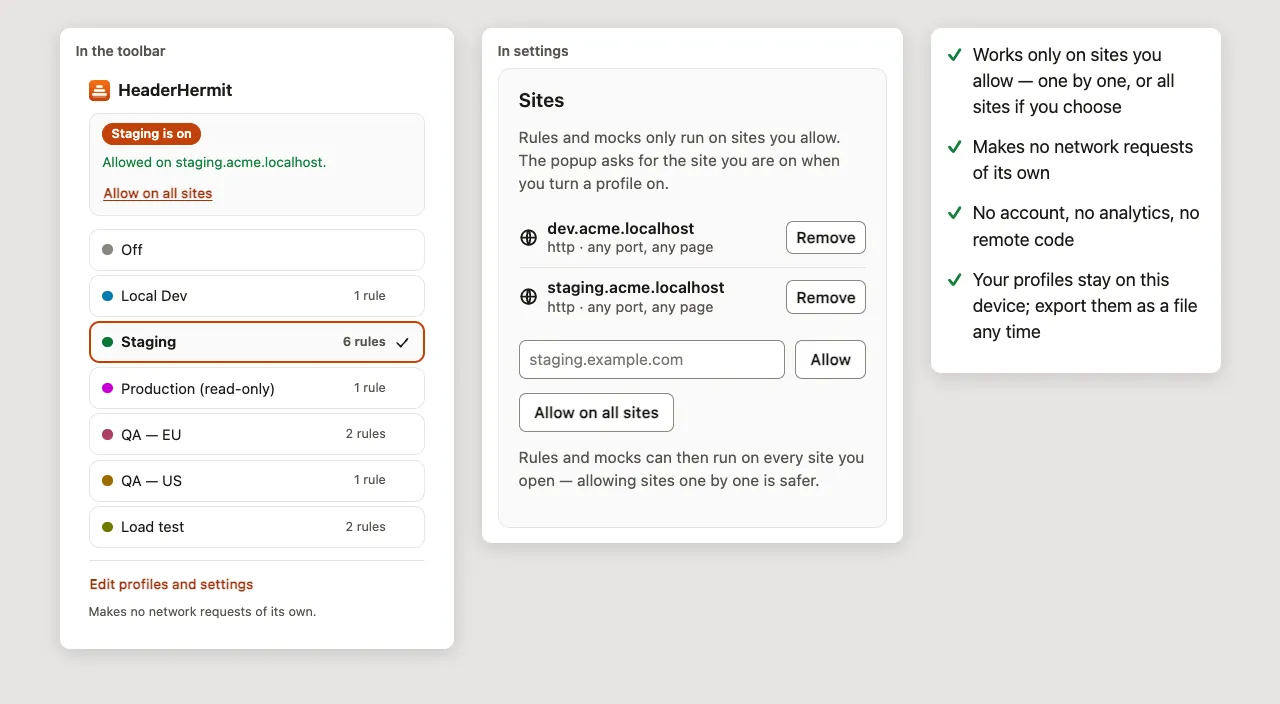
- Runs only on sites you allow
- No account, no analytics, no remote code
Languages
English.
Privacy
There is no account, no analytics and no remote code. Profiles stay in the browser’s local extension storage; header rules change the requests your pages send, only on the sites you allow. Read the HeaderHermit privacy policy.
HeaderHermit is not affiliated with ModHeader.